Follow the below-mentioned steps to remove Amazon Associate Connector App from your Shopify store.
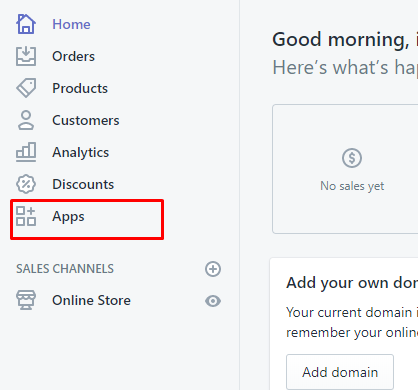
Step 1: Login to your Shopify store admin and click on the left menu: Apps.
Step 2: Now click on the trash icon as highlighted in the below screenshot.

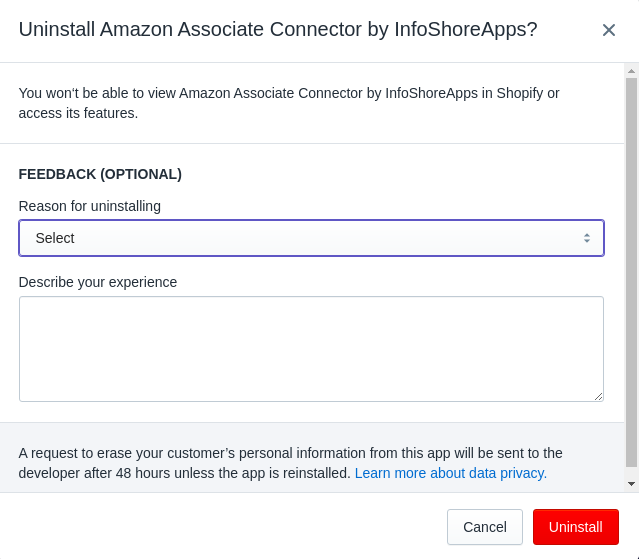
Step 3: Now it will ask you for the reason of removing the app. Just choose a relevant option and click on the red Delete button to complete uninstall process.